
ID3 Tags exportieren
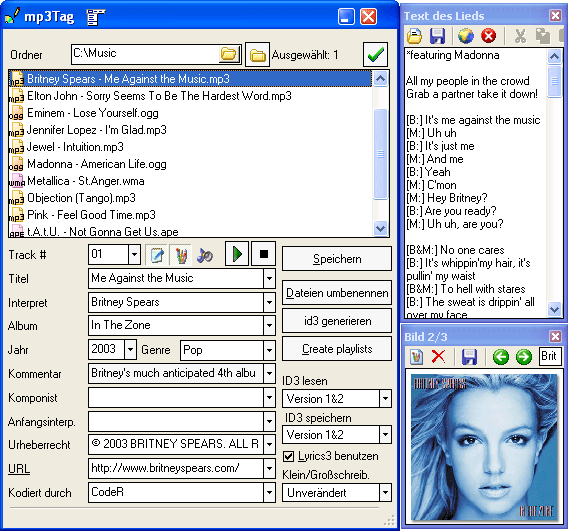
- MP3-Tags downloaden und bearbeiten
- MP3 Dateien umbenennen
- Playlisten erzeugen

mp3Tag kann Musikdateien umbenennen und mit Metainformationen wie Künstler, Titel, Album usw. besorgen. Weiterhin kann das Programm auch vorhandene ID3 Tags exportieren.
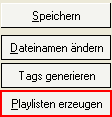
Wählen Sie die Dateien in mp3Tag, von denen Sie Tags exportieren wollen. Klicken Sie "Playlisten erzeugen" rechts:
Im neuen Fenster markieren Sie die Felder, die Sie exportieren wollen:
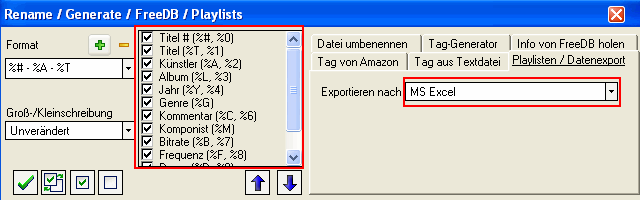
Aus der "Exportieren nach" Dropdownliste wählen Sie das gewünschte Format. Sie können Tags direkt nach MS Excel exportieren, oder auch nach CSV oder TSV Datei. Die letzteren zwei Formaten kann man auch verwenden, um ID3 Tags zu einer anderen Gruppe von Dateien zu importieren, oder Tags wiederherzustellen.
Anschließend klicken Sie "Speichern/ Exportieren" im unteren Teil des Fensters.